
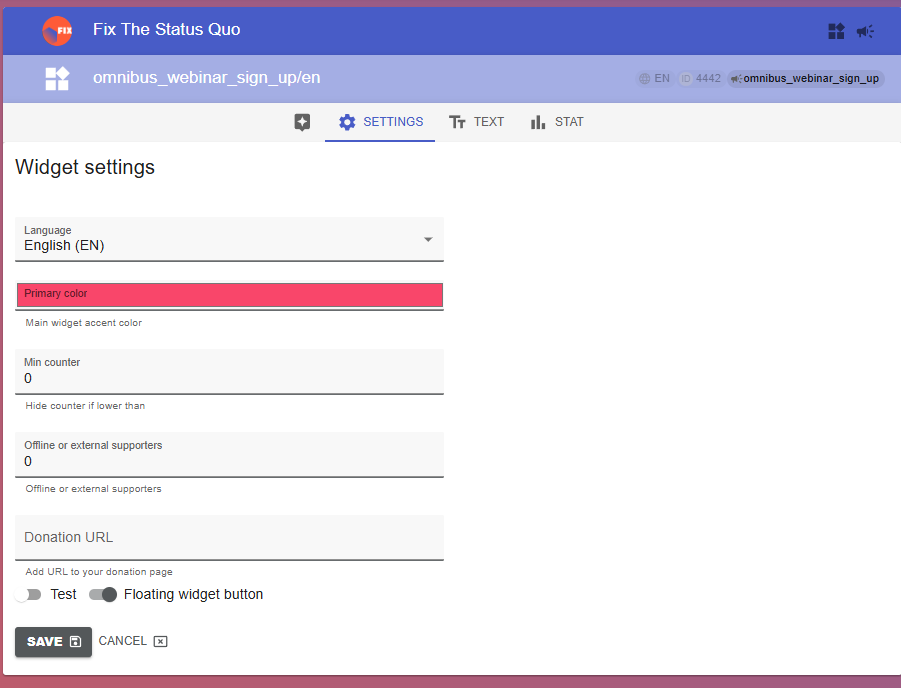
The widget’s language and colour can be changed on its Settings tab on the dashboard.
- Open the widget’s Settings tab (and if you have multiple widgets, e.g., per language, make sure it’s the right one).
- Choose the language from the drop-down list, or set the colour (any valid hex code). Click ‘Save’.
Seeing the old version after saving? Refresh your browser cache.