
If you’ve collected signatures offline – at an event, on paper forms, or through a partner not using a widget – you can add them to your campaign’s action counter manually. This keeps your public total accurate and reflects support from every channel, not just your online widget.
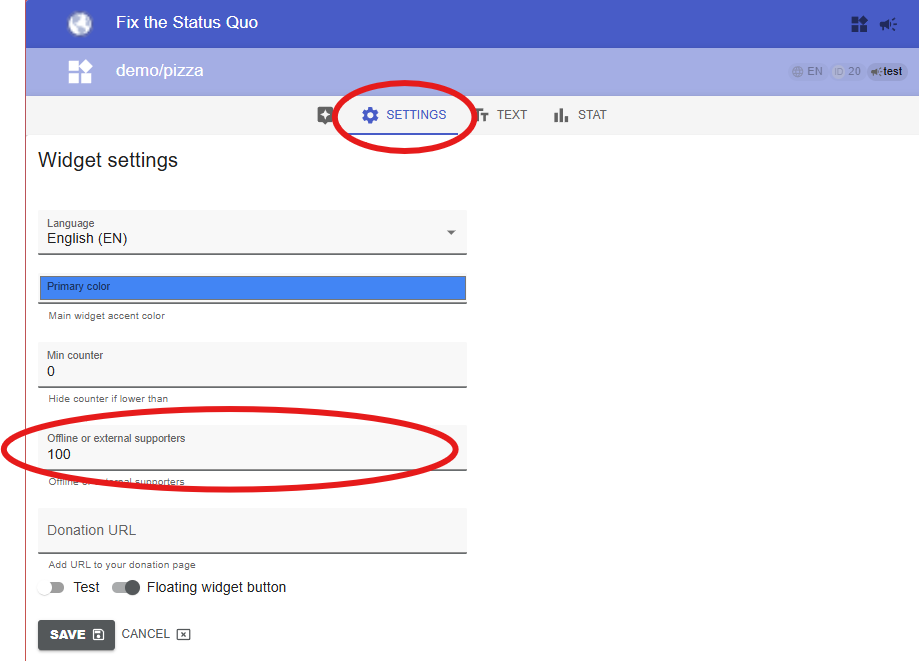
- In the dashboard, find the widget you want to add supporters to, and open its Settings tab.
- Find the Offline or external supporters field and add the total number of extra supporters.
- Save the changes.
You can add extra supporters to any widget, but consider having a separate one for external supporters – it keeps the picture cleaner when you look at where actions came from. Here’s how to add a new widget.
Read also: Action Counter